Easy Installation
Expansion Hub
Make sure the boat is stationary and the engine is turned off while you are installing the Sensar Marine Expansion Hub.
Working near a battery can be dangerous and you should always follow the guidelines of your battery manufacturer. Avoid sparks or flames and make sure you have sufficient ventilation. Use eye protective gear and avoid touching your eyes. Wash hands when finished. Be careful when using metal tools as dropping them on a battery can create a short circuit, and possibly explosion or fire. Remove any personal items like rings, bracelets, necklaces, watches, or similar accessories.
Make sure the battery terminals are clean and the contacts are tightly fastened. Please mount cables to avoid wear and tear, and to prevent short circuits or sparks.
- The Expansion Hub is sealed to make sure it always satisfies the manufacturer’s specifications to prevent electrical shock and fire hazards. No components inside can be repaired by unauthorized personnel. Do not try to open or repair yourself. Doing so can risk injury and/or damage, and the warranty will be void.
- Additional components may be necessary. Do not connect to a boat's battery or bilge pump without ensuring that a proper fuse is in place. For continued fire protection, always replace fuse with new ones of the same type, and the same electrical specifications.
- Clean only with mild detergents, never solvents or corrosive chemicals that may damage the surface of the unit, or the labels containing the product specifications.
- To prevent possible short circuits and corrosion, make sure that all cables, cable contacts, and clamps are placed higher than the highest possible water level, and fastened with isolated fasteners and/or cable ties/ strips.
- If the equipment is used in a way not specified by the manufacturer, it can cause the equipment to not provide the proper protection as advised, causing damage to the unit and personnel.

Click here for a PDF of the Expansion Hub EH700 Installation Guide for Professional Installers.
Attach the Expansion Hub
Select a location for the Expansion Hub that meets the following criteria:
- Dry, protected area below deck (engine room, electronics cabinet, or helm console void)
- Within cable reach of the Boat Monitor unit
- Within reasonable cable reach of sensors to be connected via the expansion harnesses
- Accessible for future maintenance and troubleshooting
- Away from engine exhaust, extreme heat sources, and areas prone to flooding
Mounting
- Carefully review your desired mounting location and make sure that you have at least 3 inches (8 cm) of clearance to the left and right of the Expansion Hub so there’s space to connect the cables.
- Mount on a solid surface.
- Screw, tape or glue into place.
Connecting to the Boat Monitor
- Using the provided 5-pin cable, connect the Expansion Hub by plugging it into the "Bilge Sentry" port on the Boat Monitor
- If present, the existing Bilge Sentry cable should be moved to the "Bilge Sentry 1" connection on the Expansion Hub
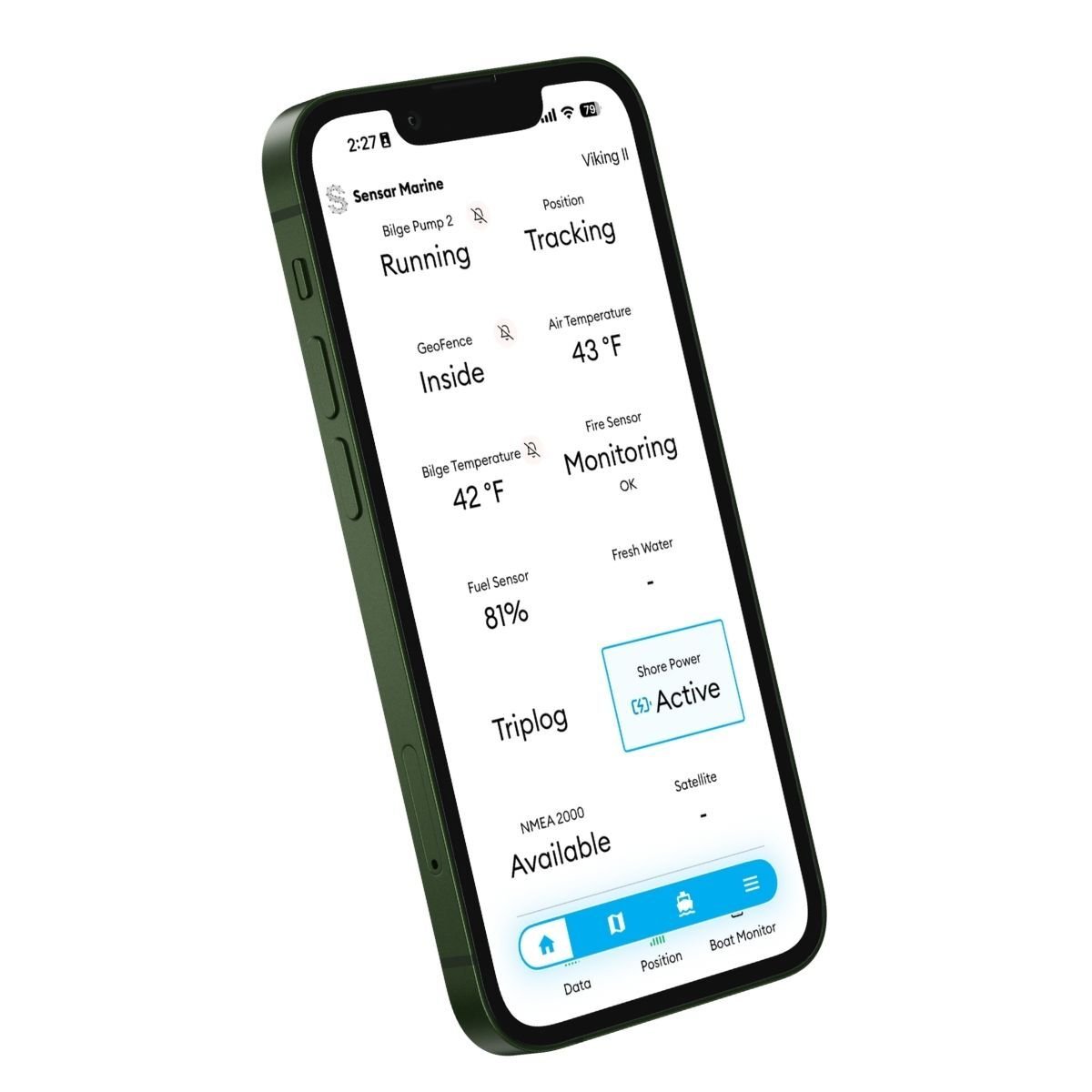
There are no additional configuration or setup steps necessary. Your Expansion Hub is now ready for use. It will automatically transmit data through your Boat Monitor and the app will display additional data tiles.
.png?width=317&height=211&name=Expansion%20Hub%20Connected%20to%20Boat%20Monitor%20(2).png)
OPTIONAL: Connect to NMEA 2000
- Review boat's existing NMEA 2000 backbone
- Identify available T-connection or add a new T-connector (not included).
- Using a standard NMEA drop cable, connect the NMEA backbone to the corresponding port on the Expansion Hub.
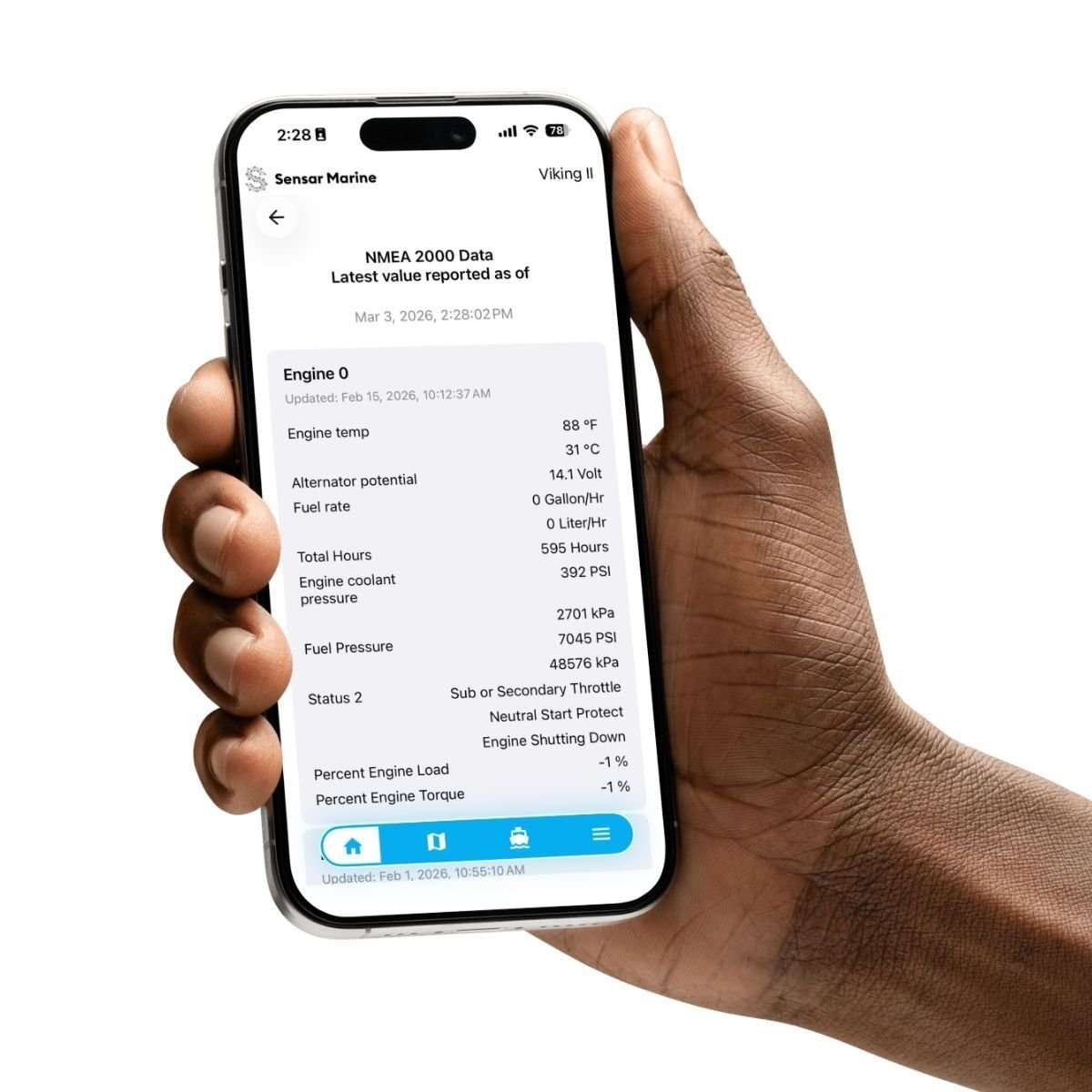
No additional configuration is necessary. Engine and fluid data transmitted over NMEA 2000 will now be captured by the Expansion Hub and transmitted to your Sensar Marine app via your Boat Monitor.
note: The Expansion Hub detects when there is power on the NMEA 2000 network and automatically activates the monitoring function. It does not draw any power from the network. The drop cable length must not exceed 6 m (20 ft). If you are installing a new NMEA 2000 network, refer to the manufacturer's installation guide for the network equipment. Currently Supported PGNs: 127488 (Engine Rapid), 127489 (Engine Dynamic), 127505 (Fluid Level), 129026 (COG & SOG) — with multi-instance support.
OPTIONAL: Connect Expansion 1 Harness
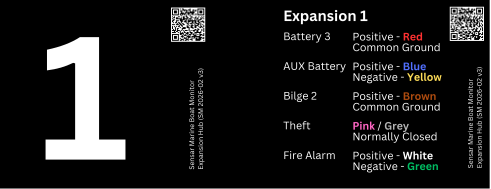
The Expansion 1 harness provides five analog input channels. It supports monitoring of Battery 3, AUX Battery (Battery 4), Bilge Pump 2, Theft Alarm and Fire Alarm.
The connector end plugs into the port labeled “Expansion 1” on the Expansion Hub.
Battery 3 (Red + Common Ground)
Connect the red wire to the positive terminal of the battery to be monitored. Common ground is required.
Install an inline fuse (3 A) on the Red (positive) wire within 7 inches (175 mm) of the battery terminal.
AUX Battery (Blue + / Yellow –)
The AUX Battery monitor is a flexible way to monitor a battery that is not connected to a common ground. This is common for trolling motor batteries and system backup batteries.
Connect the yellow wire to the negative terminal of the battery and the blue wire to the positive terminal. If the battery has a common ground, connect the yellow wire to it.
Install an inline fuse (3 A) on the Blue (positive) wire within 7 inches (175 mm) of the battery terminal.
Bilge 2 (Brown + Common Ground)
Use for monitoring the activity of a second bilge pump. The installation procedure is similar to that for the bilge pump monitoring, including the Boat Monitor.
First - Identify the desired Bilge Pump wire
Bilge pump with 2 wires: v The T-splice connector mounts to the positive (+) wire between the bilge pump and the float switch.
Bilge pump with 3 wires: The T-splice connector mounts to the manual cable. This is the third cable, typically the same cable that connects to the instrument dashboard for manual operation of the bilge pump and indicator light.
Second - Install the T-splice connector
- Open the hinged side wall on the connector
- Place the connector anywhere along the length of the appropriate bilge pump wire. Position the wire in the channel.
- Close the hinged side wall to capture the bilge pump wire.
- Insert the provided tap wire into the open port of the connector until it stops.
- Using a set of pliers, complete the circuit by pressing the metal u-contact down flush with the top of the connector
- Close the connector top lid and make sure the locking mechanism clicks into place.
Finally - Connect
Now that the provided tap wire is attached to the correct bilge pump wire, insert the quick-release spade connector into the corresponding connector on the battery cable’s brown-and-white “Bilge Pump” wire.
Theft (Pink / Grey)
The theft alarm is a Normally Closed loop with an end-of-line resistor mounted generally at the far end of the line. The system will indicate alarm status for wire cut and for short. A short is when someone attempts to short-circuit the loop to bypass the alarm function.
Fire Alarm (White + / Green –)
Integration with the existing fire alarm system is covered in a separate installation guide.
OPTIONAL: Connect Expansion 2 Harness
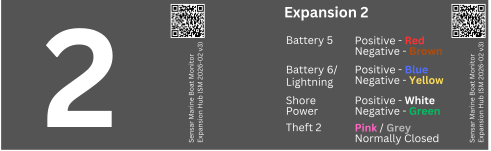
The Expansion 2 harness provides four analog input channels. iot currently supports monitoring of Shore Power.
The connector end plugs into the port labeled “Expansion 2” on the Expansion Hub.
Note: Support for monitoring Battery 5, Battery 6, Lightning and Theft 2 will be provided via a software update, comings soon.
Battery 5 (Red + / Brown –)
(will be supported by a future software release)
The Battery 5 supports the monitoring of a battery that is not connected to a common ground. Connect the brown wire to the negative terminal of the battery and the red wire to the positive terminal. If the battery has a common ground, connect the brown wire to it.
Install an inline fuse (3 A) on the Red (positive) wire within 7 inches (175 mm) of the battery terminal.
Battery 6 (Blue + / Yellow –)
(will be supported by a future software release)
The Battery 6 supports the monitoring of a battery that is not connected to a common ground. Connect the yellow wire to the negative terminal of the battery and the blue wire to the positive terminal. If the battery has a common ground, connect the yellow wire to it.
Install an inline fuse (3 A) on the Blue (positive) wire within 7 inches (175 mm) of the battery terminal.
Shore Power (White + / Green –)
The shore power input requires an external transformer that provides a DC voltage signal. When the external component delivers a voltage greater than 10 V, the system detects and indicates that shore power is connected. When the voltage drops below this threshold, shore power is reported as disconnected.
- Install your chosen shore power sensor according to the sensor’s instructions.
- Connect the White (positive) wire to the sensor's positive DC output.
Connect the Green (negative) wire to the sensor's negative/ground reference.
Theft 2 (Pink / Grey)
(will be supported by a future software release)
This is a second, independent theft/intrusion detection loop, identical in operation to the Theft input on Expansion 1.